Had an idea? Pollis helps you test it, in code you own, and then improve and expand it.
A free, open-source desktop environment built on Code - OSS, to explore data, build models, run simulations and solve optimisation problems: from your first click to your own code in Julia.
Installing on macOS
- Download Pollis for Mac (Pollis-darwin-arm64.zip).
- Unzip it (double-click it in Downloads).
- Move Pollis.app to Applications (drag it onto Applications in the Finder sidebar).
- Then in Terminal (press Command-Space, type Terminal, press Return) run
xattr -cr /Applications/Pollis.appand press Return (the app is not signed yet). - Open it by double-clicking Pollis.app in Applications.
Installing on Windows
- Download Pollis for Windows (Pollis-win32-x64.zip).
- Unzip it (right-click it in Downloads, Extract All..., Extract).
- Open the folder Pollis-win32-x64.
- Open it by double-clicking Pollis.exe. If SmartScreen warns, choose More info, then Run anyway.
Installing on Linux
- Download Pollis for Linux (Pollis-linux-x64.tar.gz).
- Extract it in a terminal with
tar -xzf Pollis-linux-x64.tar.gz. - Run
Pollis-linux-x64/pollis.
Pollis is young and growing quickly. Some features are still being built, and you may meet the odd rough edge. Your feedback at [email protected] helps decide what comes next.
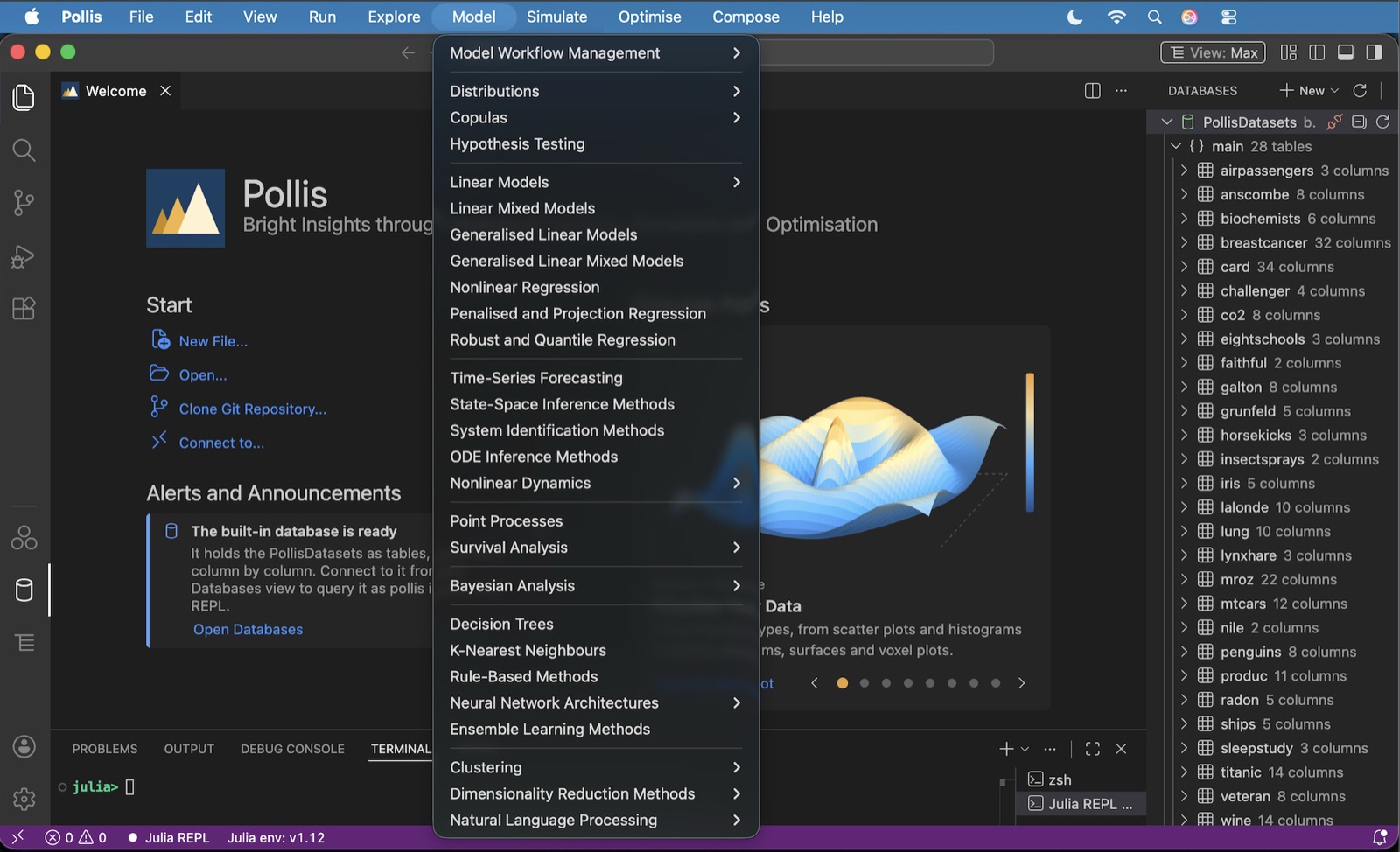
Data and a question? Start here.
Pick a method from a menu, fill in a few boxes, and Pollis gives you working Julia code that produces the result, with advice on what a careful analyst does next. You do not need to program to start.
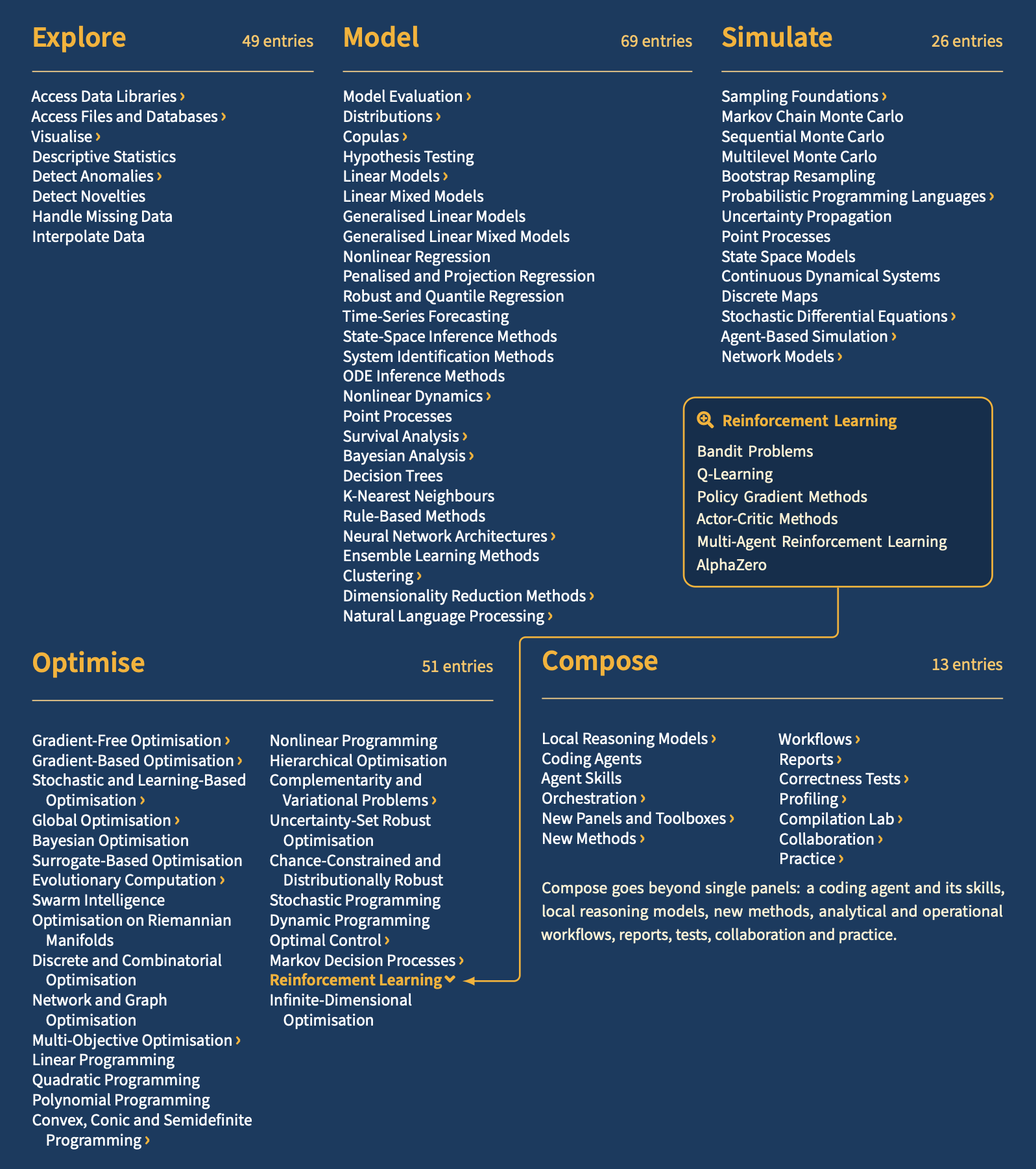
Everything in Pollis
5 curated menus · 204 method panels · 657 procedures · 289 open-source Julia packages. Items marked › open a submenu; one is shown open.
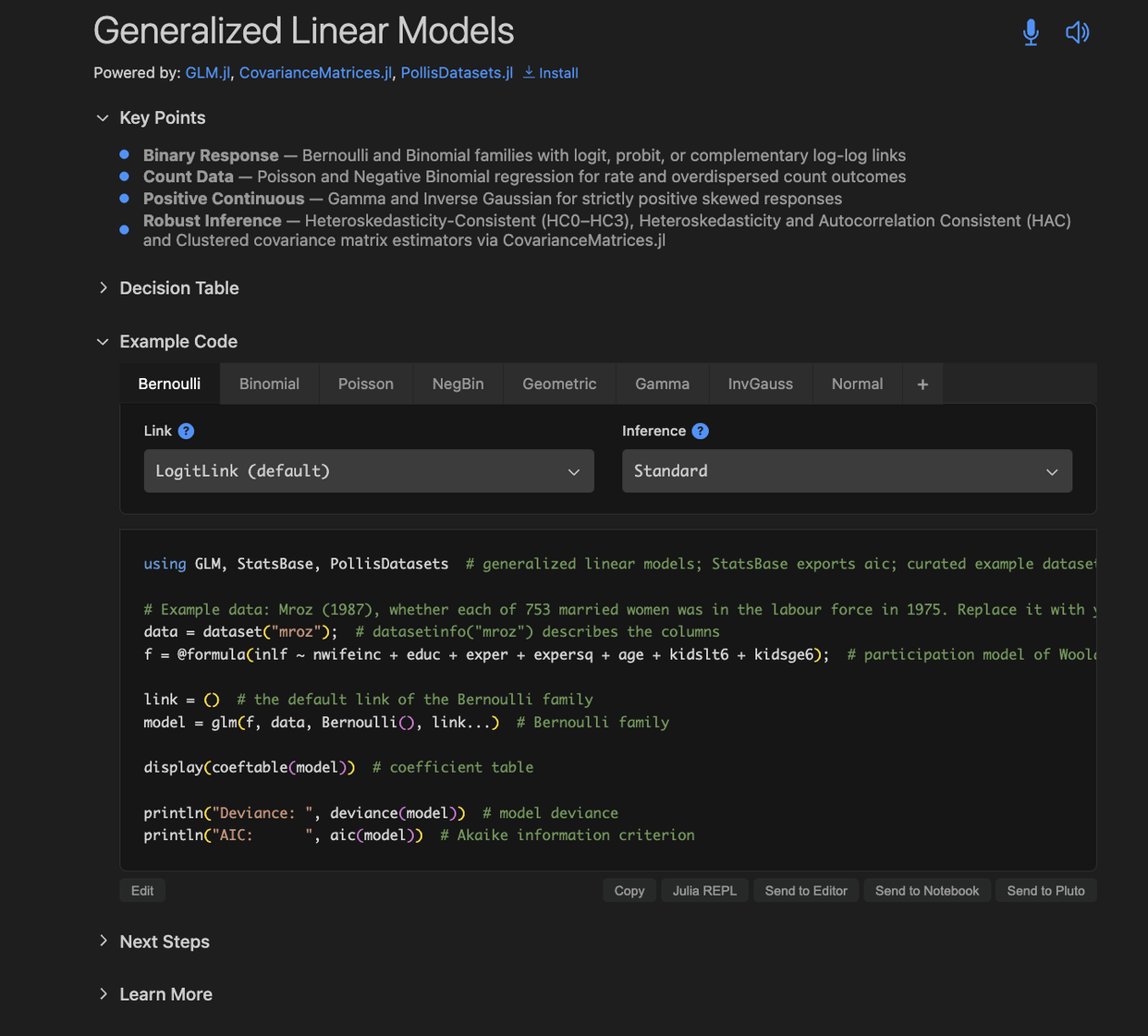
Inside a panel
Each of the 204 panels brings together one or more methods and their procedures, with everything you need around them.
 1
2
3
4
5
6
7
8
9
1
2
3
4
5
6
7
8
9
- 1Powered by. The open-source packages behind the method, with links. A tick when they are installed, or a one-click Install.
- 2Key Points. The method in a few lines.
- 3Decision Table. Which variant to use, and when.
- 4Your choices. Family, link function and kind of inference: tabs and drop-down lists.
- 5Your own tab. Click + to add a tab of your own, with your own code.
- 6Example code. Real Julia code that follows your choices, with comments.
- 7Run it your way. Edit or copy the code, or send it directly to the Julia REPL, the Editor, or a Jupyter or Pluto notebook.
- 8Next Steps. Ready-made code to Visualise, Diagnose, Predict, Compare and Interpret the fitted model.
- 9Learn More. Local wikis, notebook tutorials, video tutorials and references.
Why Julia
Julia is a modern, open-source language for scientific computing: as easy to read as Python or R, and as fast as C or Fortran. Its packages cover statistics, machine learning, differential equations and optimisation, and Pollis builds on them, so what you learn in Pollis carries over to Julia itself.
Free, open and yours
No licence fees, no lock-in, and code you can take anywhere.
Keep the code
Every panel writes readable Julia code that is yours, ready for the REPL, an editor or a notebook.
Learn good practice
Which method to choose, how to check it, and where to read more.
A familiar editor
Built on Code - OSS, so it looks and works like a code editor many people already know.
Extensions
Add Pollis Toolboxes for whole fields, and thousands of editor extensions from Open VSX: programming languages, remote development, cloud integrations, code quality, productivity tools, themes and more.
Open source
Licensed under the AGPL 3.0, on top of open-source Julia packages. Windows, macOS and Linux.
Private by default
Pollis runs on your own computer. Your data stays with you, and AI features are off unless you turn them on.
The name
Pollis echoes the Greek polis, the community of citizens and the rules it freely adopts. Like a polis, Pollis is shared: free, open source, built on open-source packages, and open to change by those who use it. Its double l recalls the Greek pollá, “many things”: many fields and many methods in one place.